Every imager knows the ritual: pour the coffee, open the capture folder, and quietly hope that the night went perfectly. AstroLoupe is a fast viewer joined to the measurements that answer the questions you'd otherwise ask by eye.
⚡
Fast FITS viewer
GPU-rendered with a PixInsight-style auto-stretch, so faint detail is visible the moment a frame opens. After Grade Frames or Trend has measured the folder, twilight and other unusually bright (or dark) subs get an orange HUD warning when their sky background is ≥2σ from the session median for that target and filter - with moon geometry cited when coordinates are known, and moonlit broadband frames near a bright moon left unflagged.
🎨
Automatic debayer
One-shot-colour frames are demosaiced and colour-balanced on the fly - mono frames stay neutral.
🗂️
FITS, XISF, TIFF & RAW
Opens FITS (incl. RGB cubes, 32-bit float, and fpack Rice/GZIP .fits.fz), XISF (incl. zlib/LZ4/zstd), TIFF/PNG and camera RAW (CR3/NEF/ARW/DNG), reading EXIF metadata from RAW just like a FITS header.
🚀
Uses your whole Mac
The GPU renders every frame; batch analysis fans out across all CPU cores. Ninety 60-megapixel subs are measured by the whole machine, not one core.
🧭
Plate solving
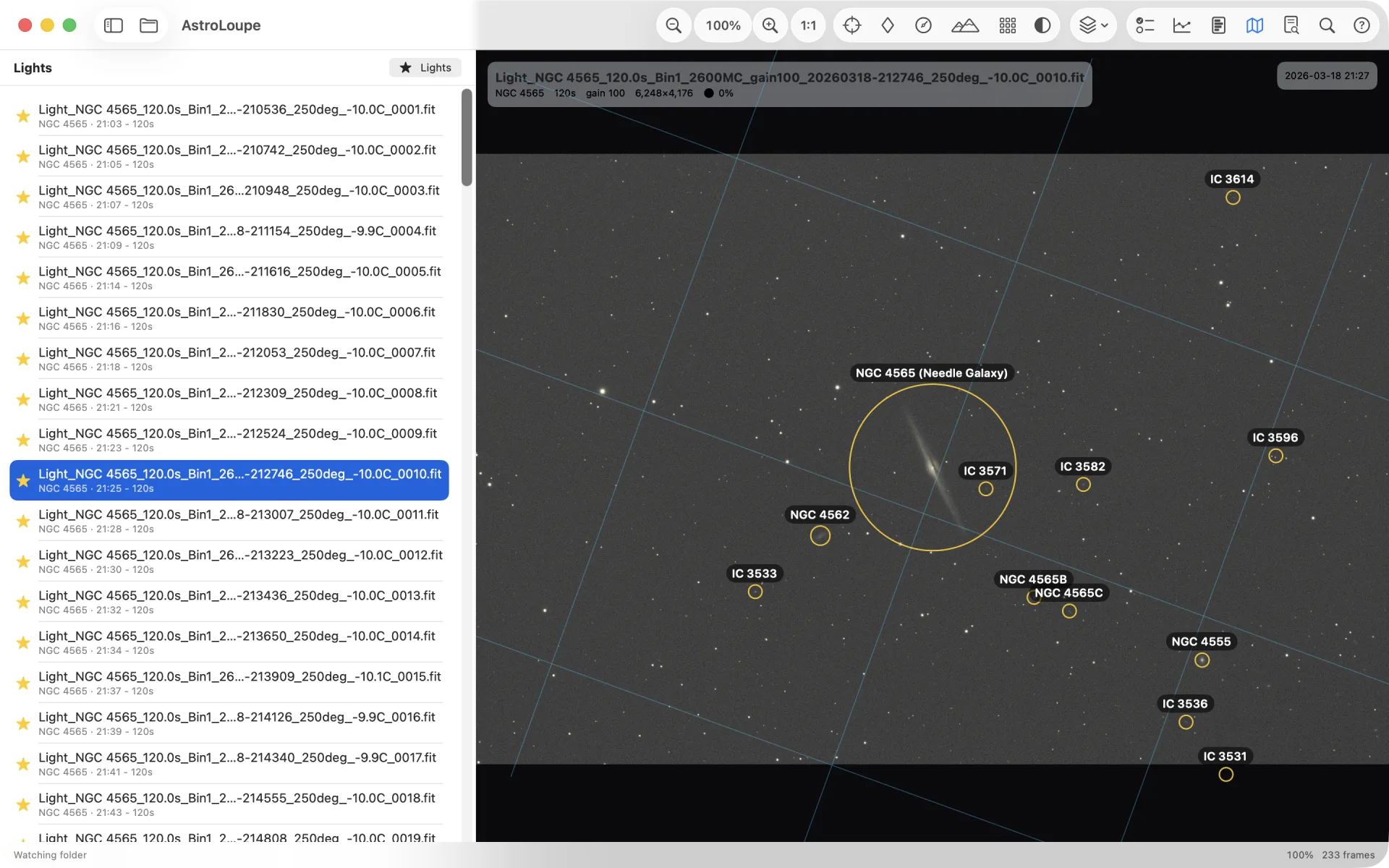
True field of view, orientation and pixel scale, matched against a bundled all-sky star catalogue. Seeded from the header, or fully blind across every core.
🔍
Zoom & pixel-peep
Scroll, pinch, click-to-zoom, drag a marquee, or snap to 1:1. Grab-and-drag to pan.
🎯
Aberration inspector
A 3×3 grid of magnified crops - centre, edges and corners - to compare star shape across the field at a glance.
📐
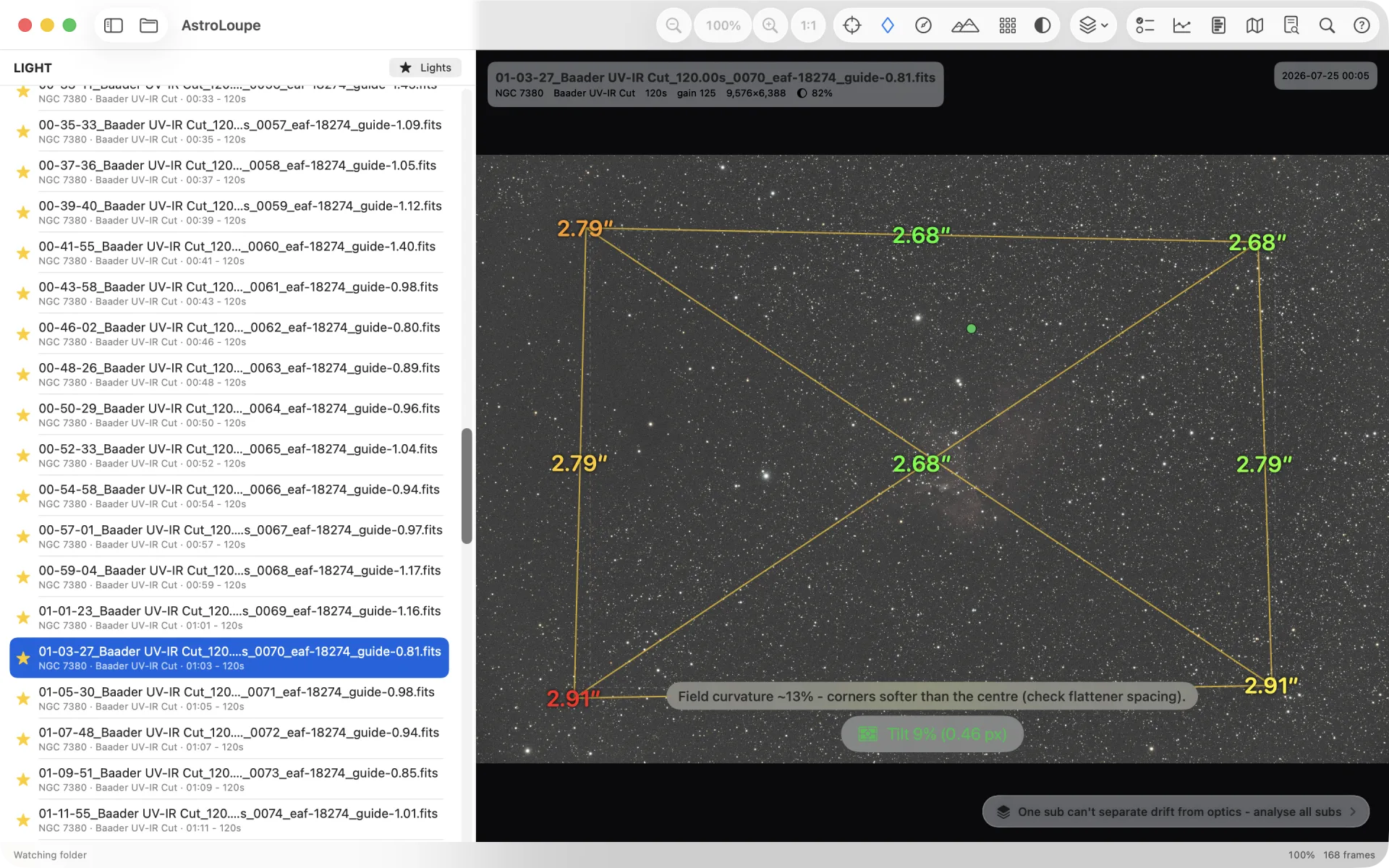
Sensor tilt & HFD
Median HFD per region, drawn as a distorted quad that points at the tilt - with a tilt percentage.
⭕
Star roundness
Per-region eccentricity as an intuitive axis ratio, with direction and a traffic-light colour - the tell that separates corner coma from tracking error.
↔️
Trail analysis
Do elongated stars all point the same way? A dedicated toolbar tool draws each star's axis (green when it agrees), a consensus arrow for the tracking direction, and a plain-language mount-vs-optics verdict - not just a number.
🧭
Field-flatness map
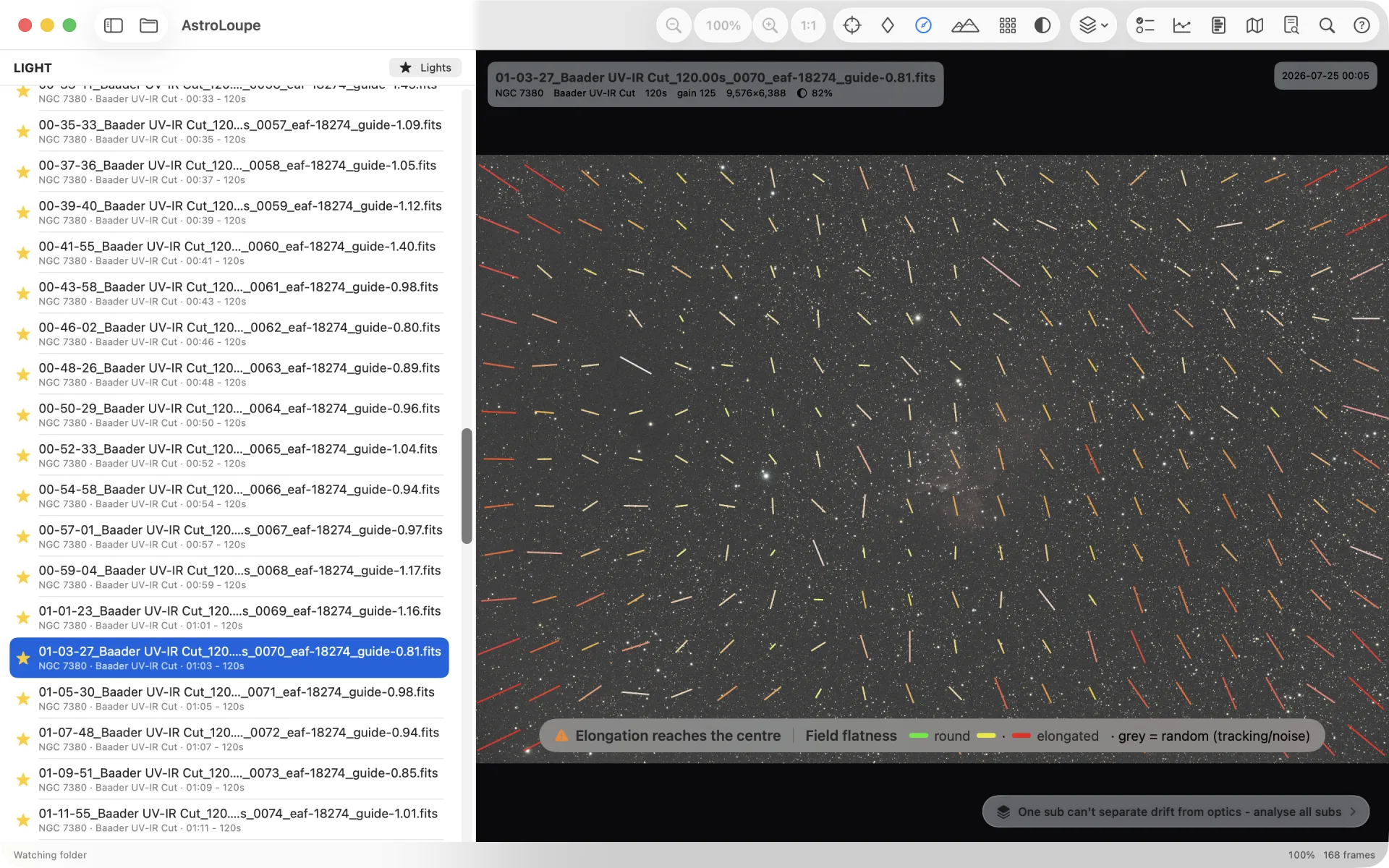
A dense field of elongation vectors where colour and length signal quality: tiny green is round and flat, growing red is trouble. Tilt or curvature draws a coherent pattern to the corners.
🗺️
FWHM contour map
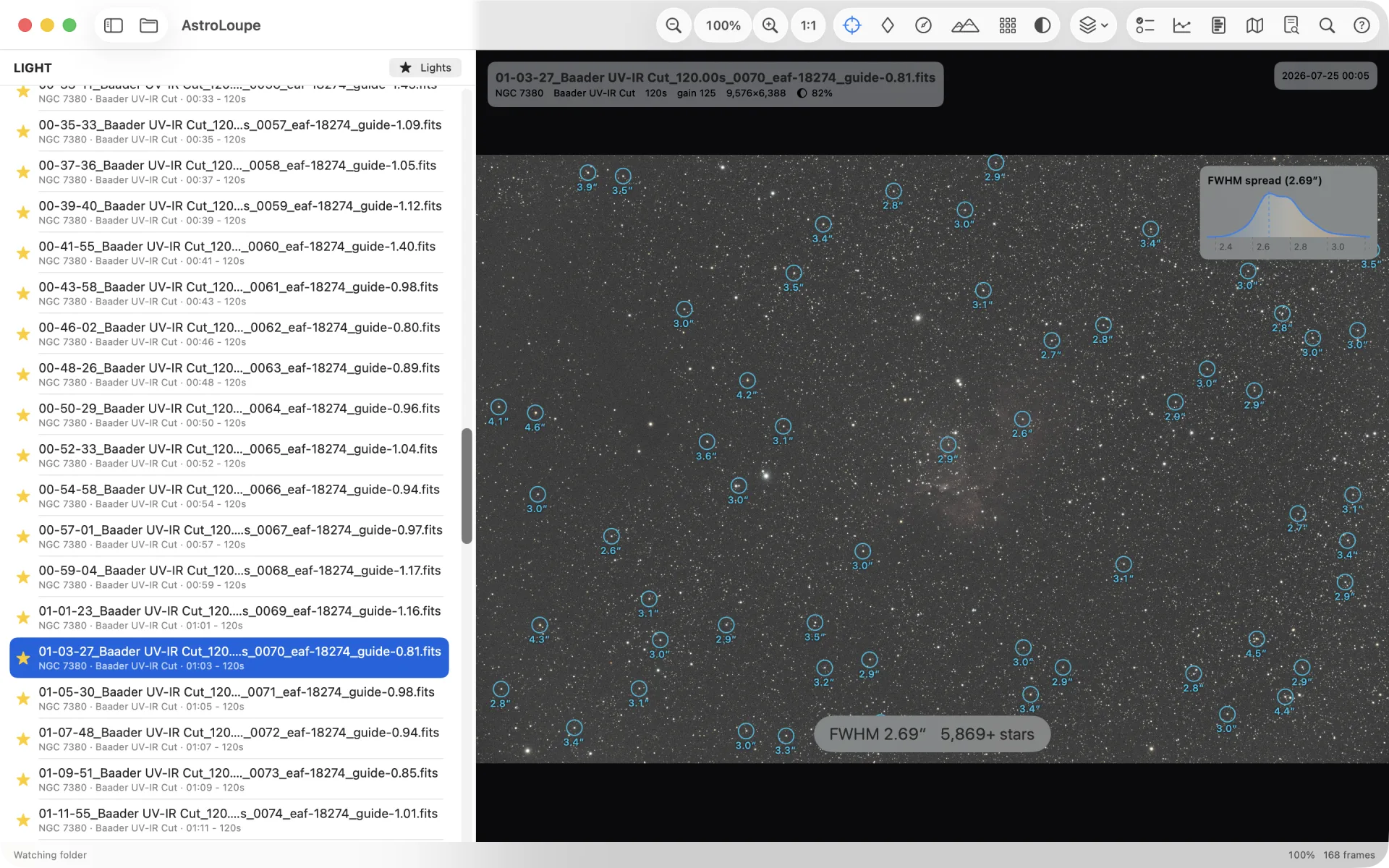
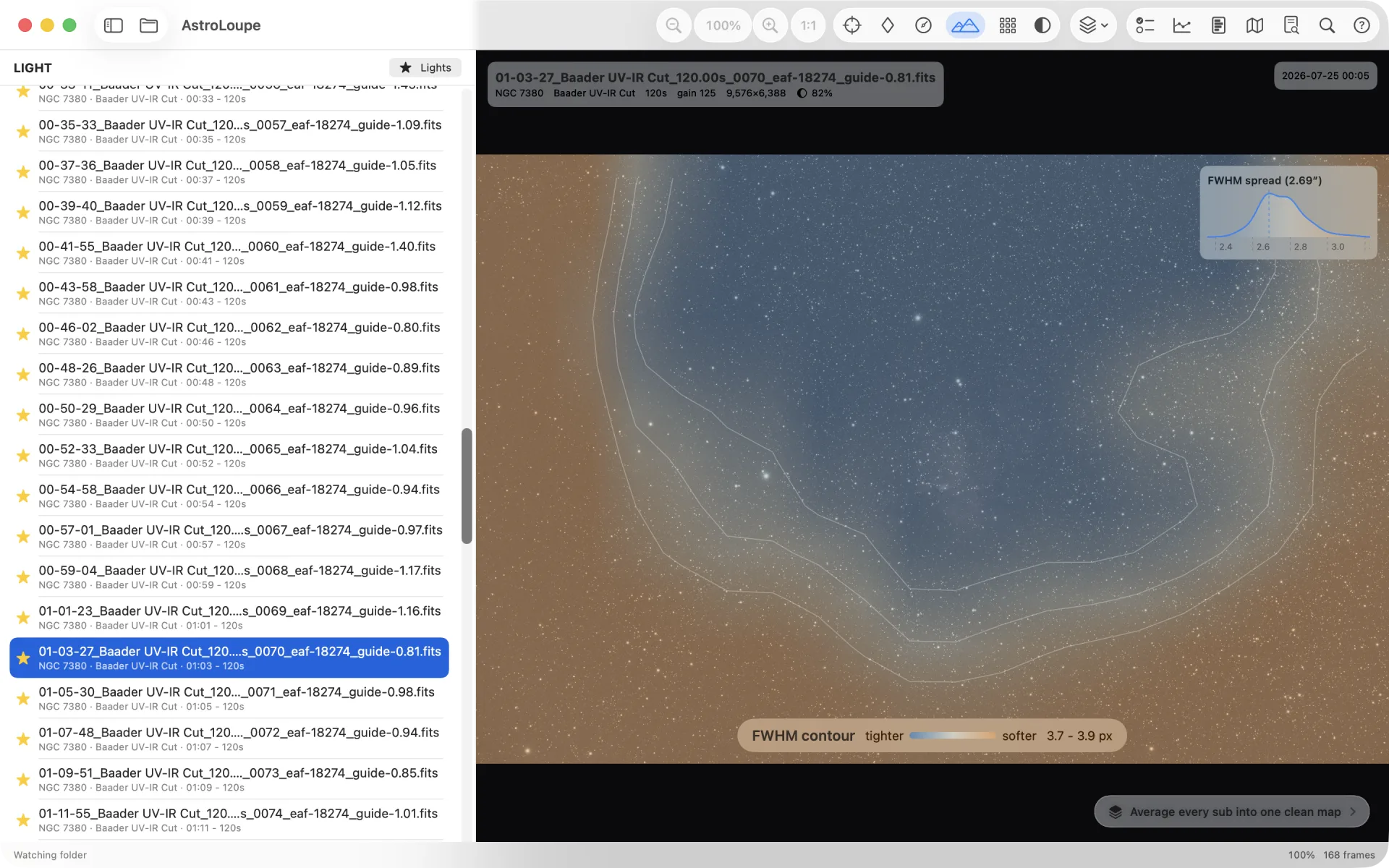
A gentle heatmap of star size across the whole field, drawn from FWHM - which, unlike HFD, doesn't grow with brightness, so it isolates real focus, curvature and tilt. Average it across a session and sensor tilt appears as a clean gradient you can measure.
📊
Batch tilt analysis
Measure every light in the folder and average them for a far more reliable tilt estimate, with a significance figure and a plain High/Medium/Low verdict.
🔧
Batch aberration & back-focus
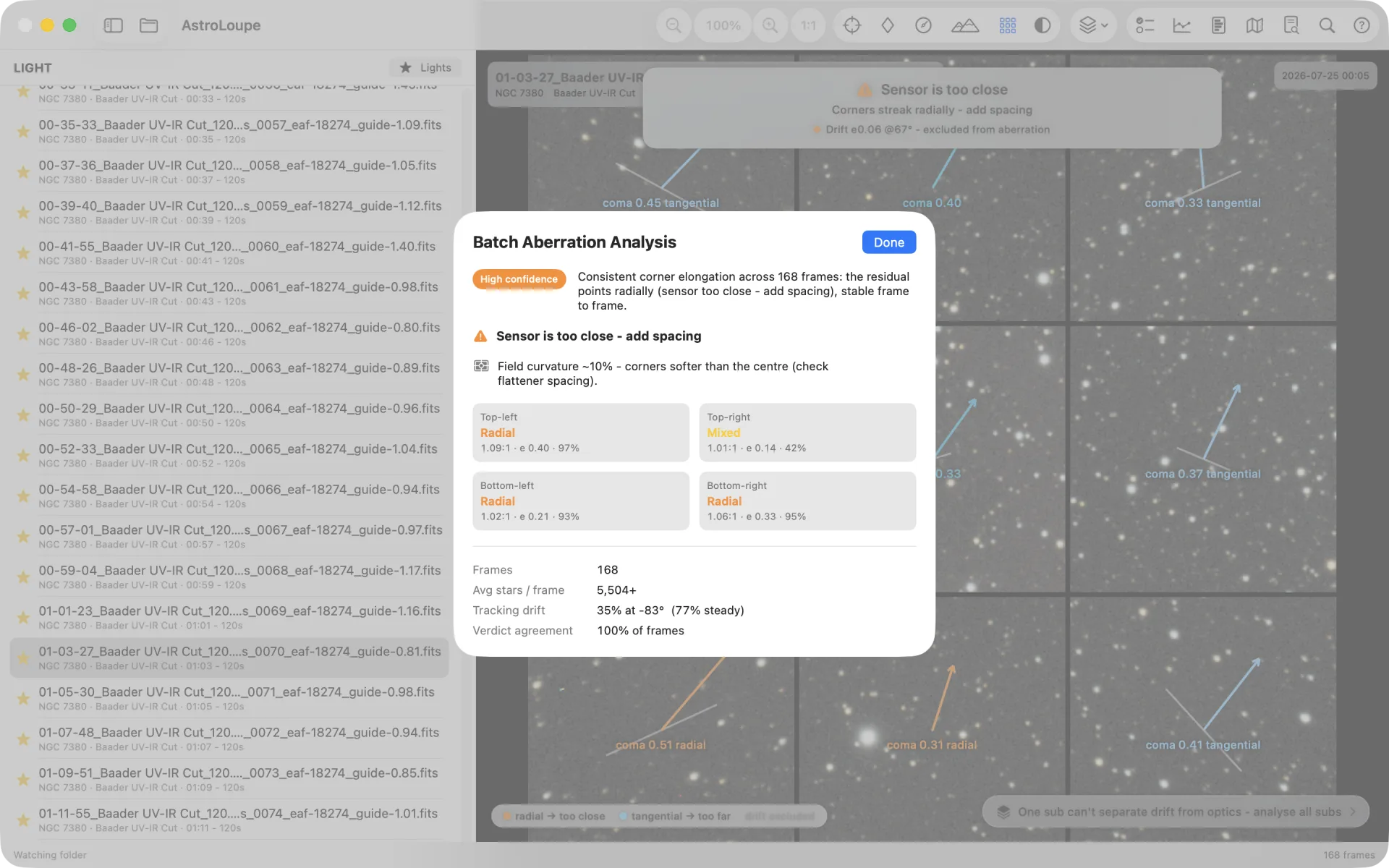
Averages drift-subtracted corner elongation across a session for a stable back-focus verdict: radial means too close, tangential too far.
↔️
Batch trail analysis
Measure orientation-consensus trailing on every light frame and roll up median score, consensus position angle, and tracking-vs-optical frame counts into one plain-language session verdict.
🪄
Grade your subs
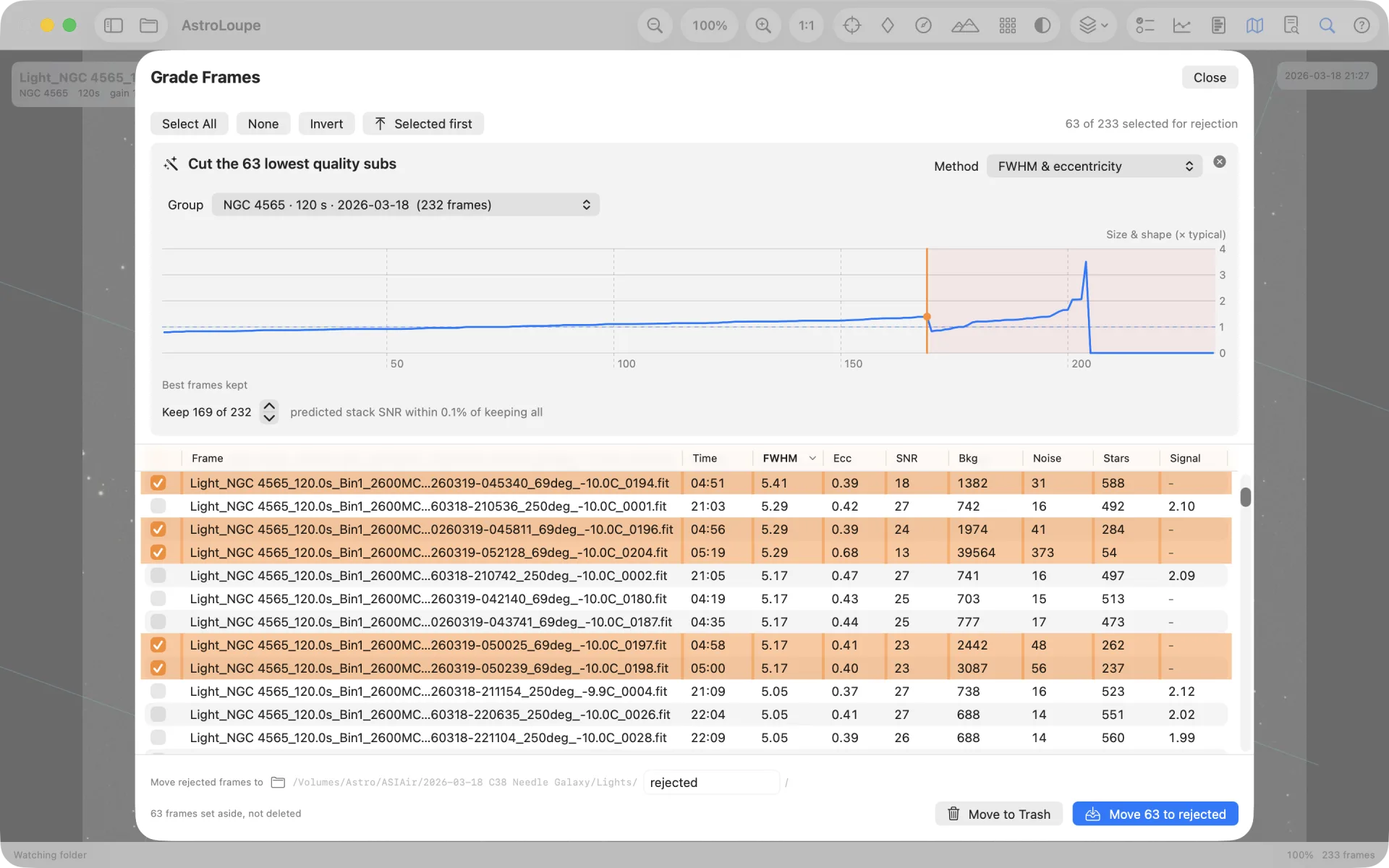
Every metric in one sortable table (opens by capture time), with a keeper recommendation when analysis finishes: classic FWHM pruning or SNR contribution for quality-weighted stacking. On a uniform good night it tells you to keep all instead of peeling another layer. Drag the orange cut line, see predicted stack-SNR cost and integration time removed, then send discards to the Trash.
🗒️
Session Report Card
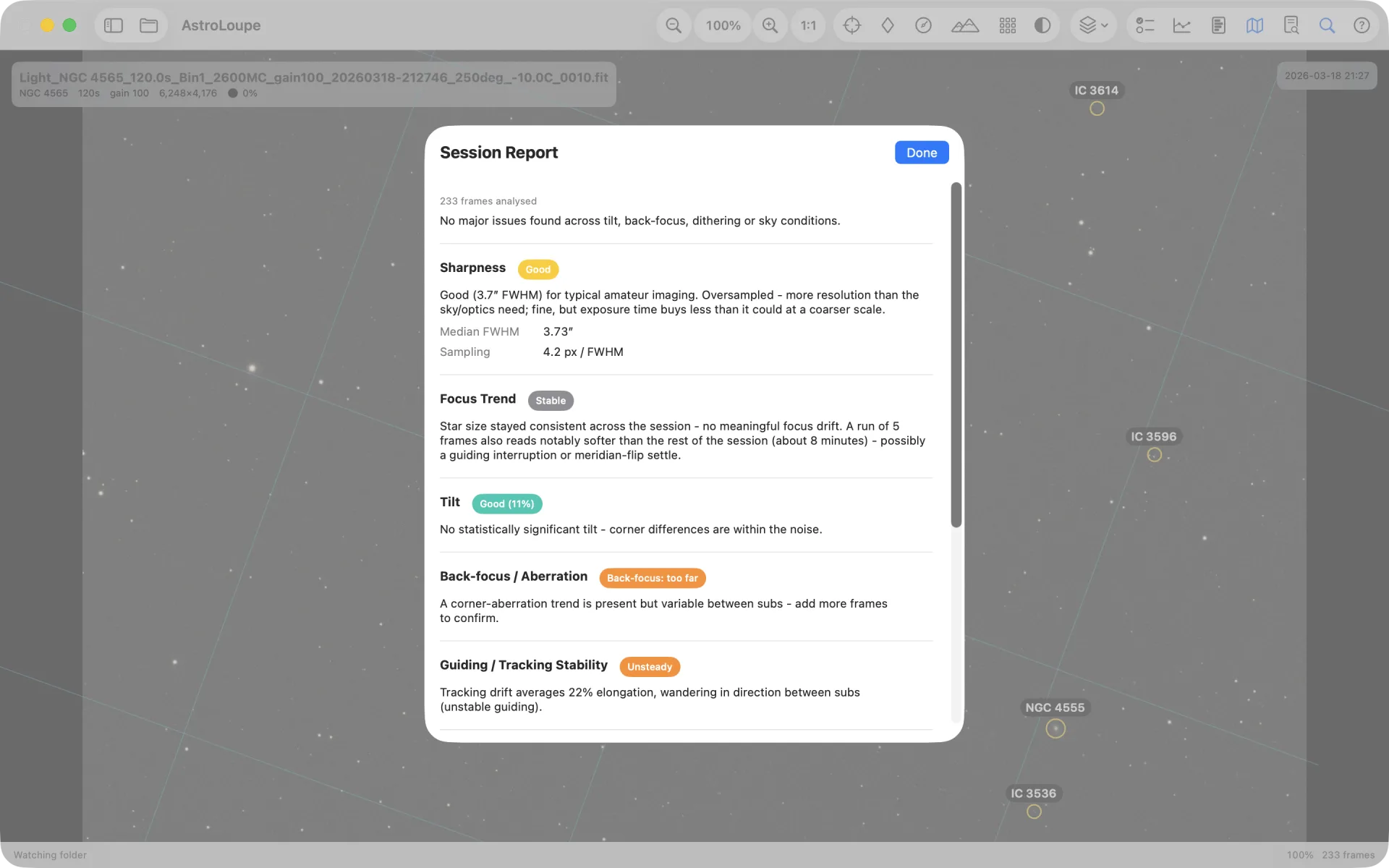
One button rolls up tilt, back-focus, guiding stability, dither/drizzle, sharpness, focus trend, focus-temperature compensation, sky transparency (with cloud-episode detection), moon conditions across the batch, site Bortle context and the keeper plan into a single graded report with a plain-language headline.
📏
HFD or FWHM in arcsec
One tap switches every figure - including the per-star labels in the viewer - between HFD in pixels and FWHM in arcseconds, computed from the header's focal length and pixel size.
📈
Session trend
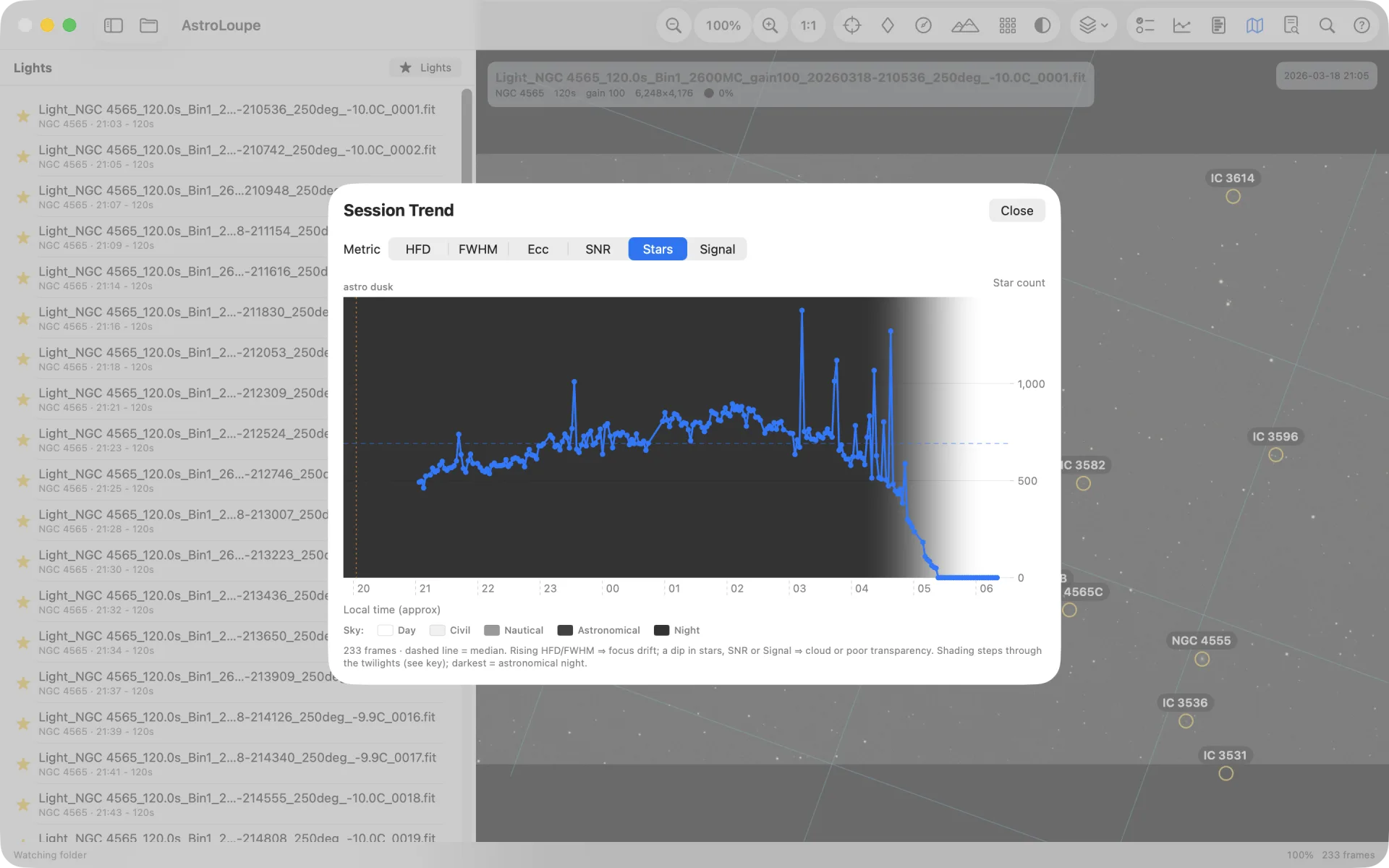
Plot HFD, FWHM, eccentricity, SNR, star count, trailing score or extended-structure Signal against clock time across the folder: focus drift, mount trailing, a passing cloud or a bad run of guiding at a glance. Twilight shading and moonrise/set markers when site coordinates are present.
🔬
Per-sub SNR, background & noise
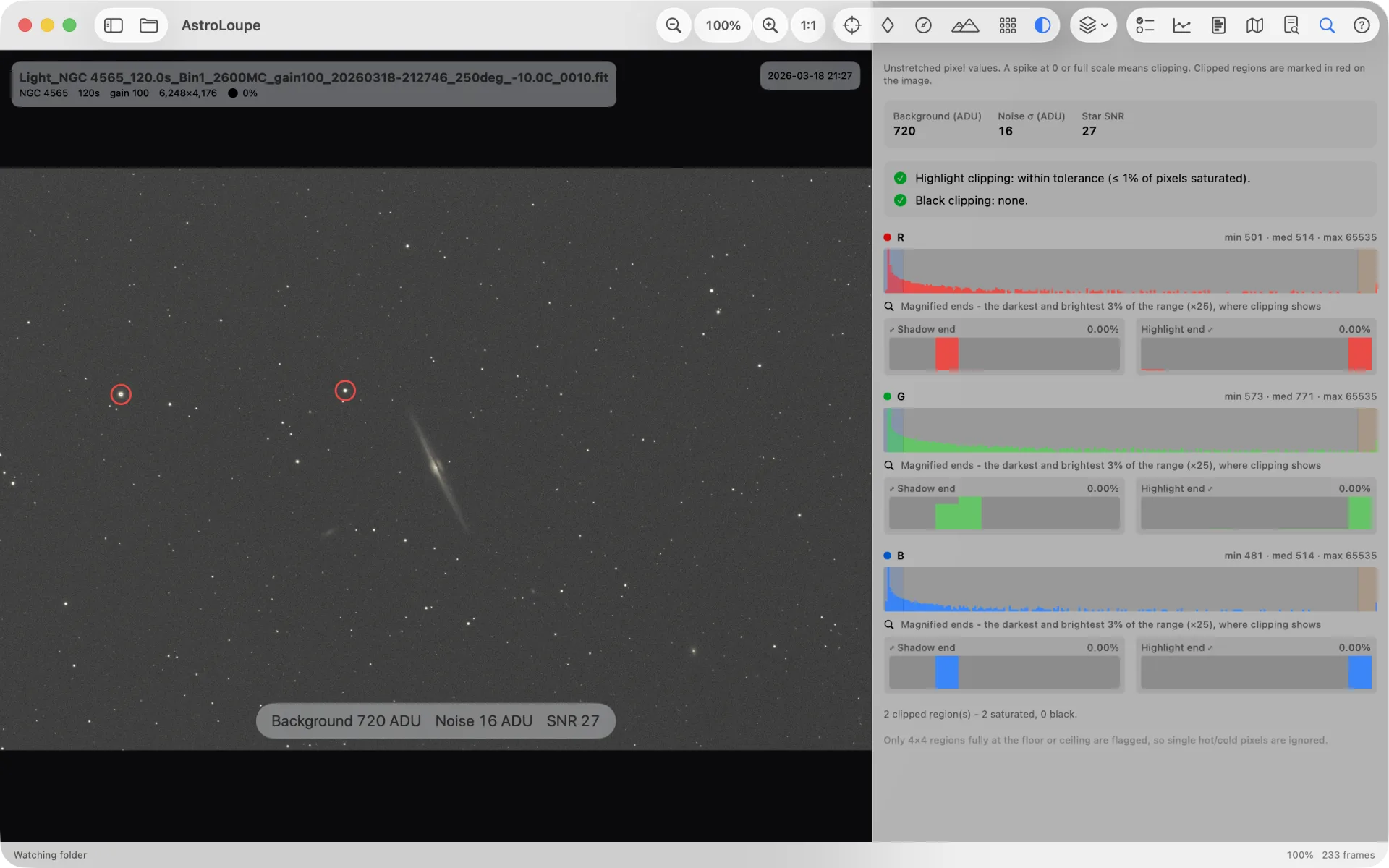
Sky background, robust noise and median star SNR for every frame - in the clipping tool and the grading table.
🌙
Moon & site context
Frame HUD shows moon illumination, altitude and separation from the target when coordinates are known. The Session Report rolls moon conditions up across the batch; Trend marks moonrise and moonset. Site Bortle context from the bundled Falchi atlas when SITELAT/SITELONG are in the header.
📄
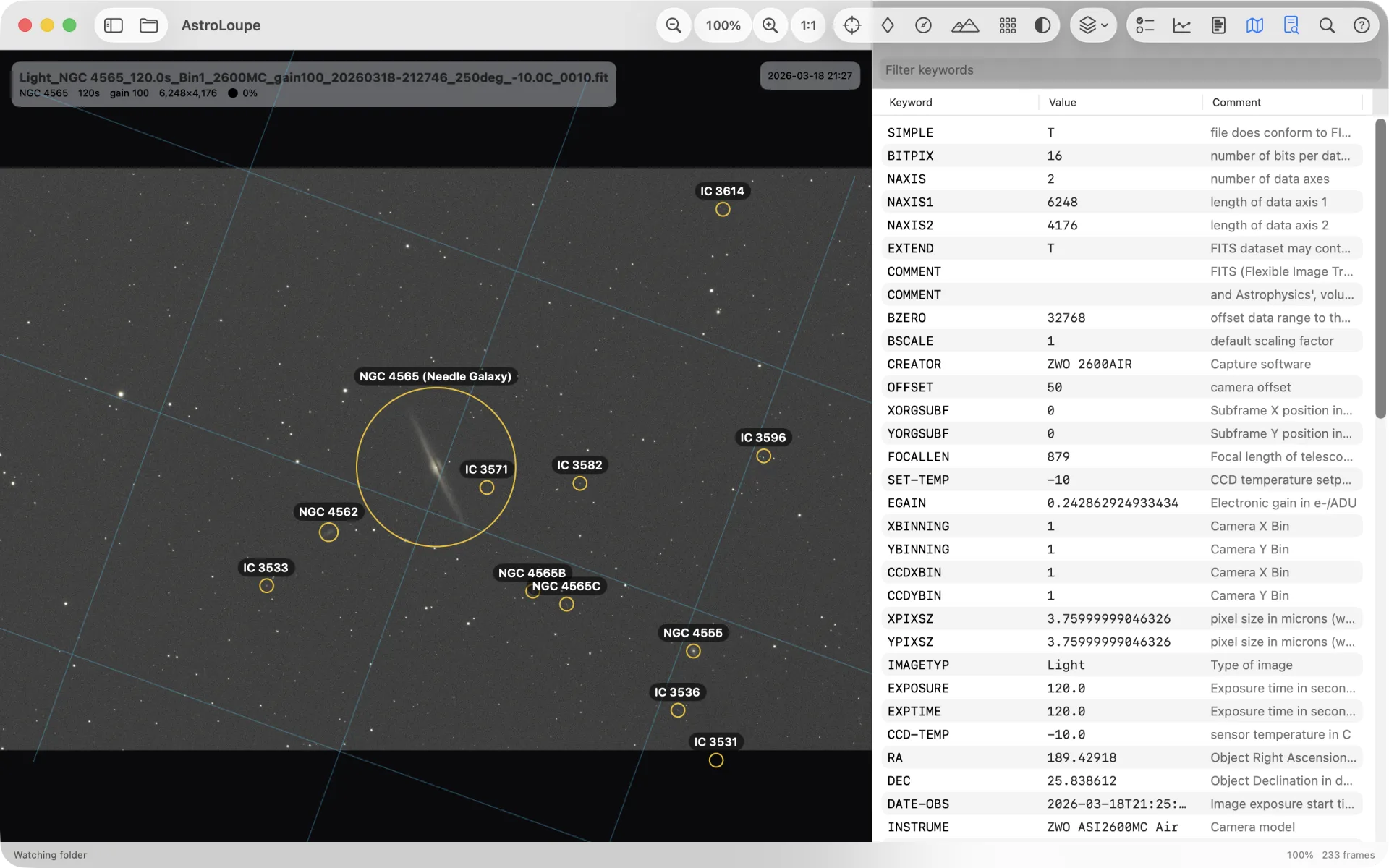
FITS header inspector
Browse the full, ordered header - keyword, value and comment - with a live filter.
📈
Clipping diagnostics
Unstretched per-channel histogram focused on the tails, with the actual highlight-saturation fraction shown to two decimal places (0.1% tolerance for star cores). Fully-clipped regions are circled on the image.
🔎
Search & filter
Filter by object, filter, camera or filename - and the browser shows only lights by default, keeping calibration frames and masters out of the way.
🔄
Live folder sync
Watches the capture folder and updates as new subs land, asking first before scanning very large folders.